The motors contained in the standard LEGO sets are common DC motors with incremental rotary encoders.
Internally, the are called "Tacho Motor", you can read more about why in the ev3dev Docs.
However, they must not be mistaken with stepper motors.
You are not required to be familiar with the differences and details of these types, but you should at least know that the motor's design allows you to precisely determine the position, speed and rotational direction of the motors.
The API lets you control the motors by providing several modes and options for the behaviour at starts, stops and in motion.
Please note that some commands, for instance changing the speed without preceding stop order may not be available in all modes.
Standard LEGO sets come with two different types of motors: Large and Medium.
¶ Large motor
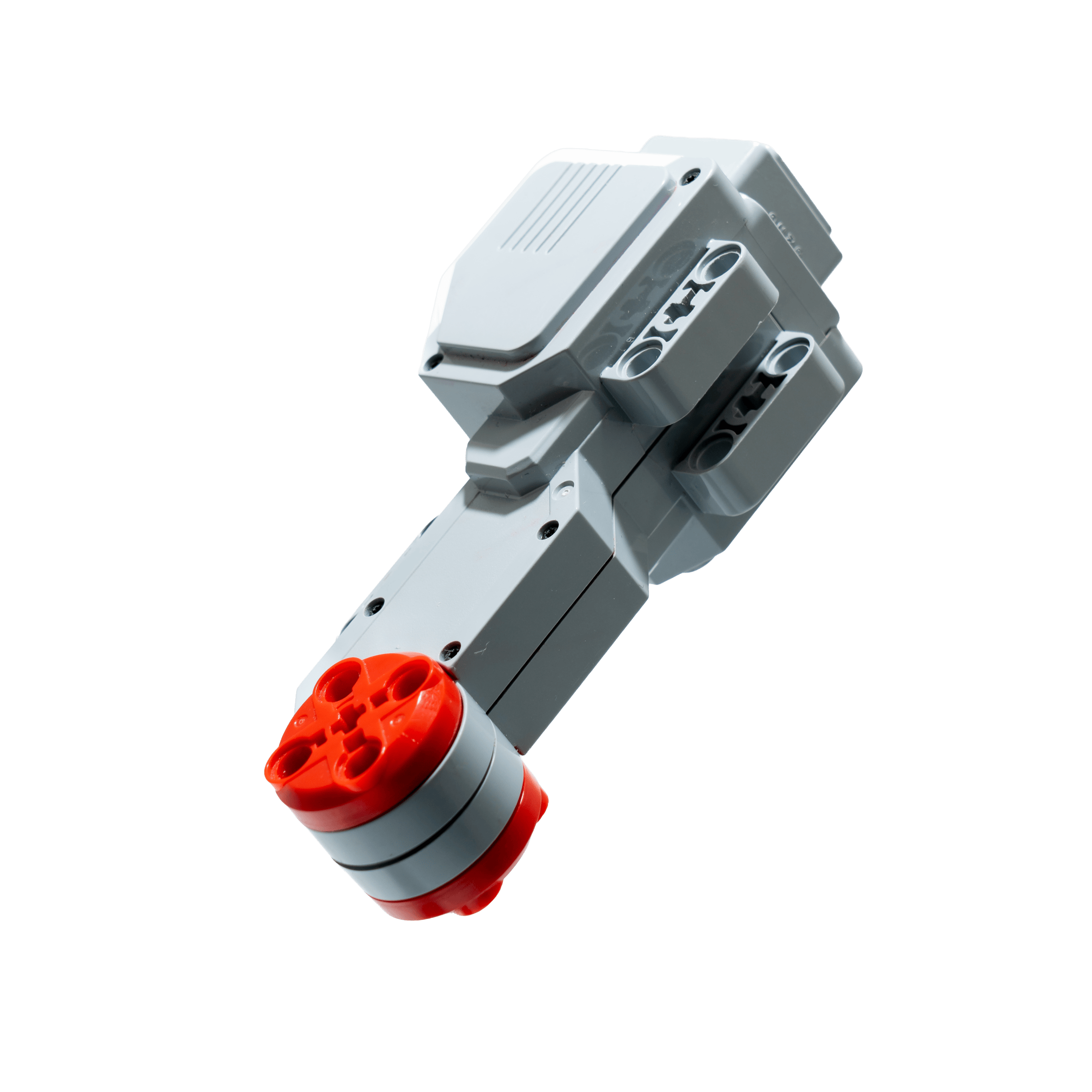
Specifications of a Large Motor
| accuracy | 1° |
| max. rotation rate | 160 - 170 r/min |
| average torque | 0,2 Nm |
| starting torque | 0,4 Nm |
| API: duty cyle | [-100, ..., 100] percent |
| API: position | 32 bit signed integer (int32_t) |
| API: speed | [-1050, ..., 1050] ticks per second |
¶ Medium Motor
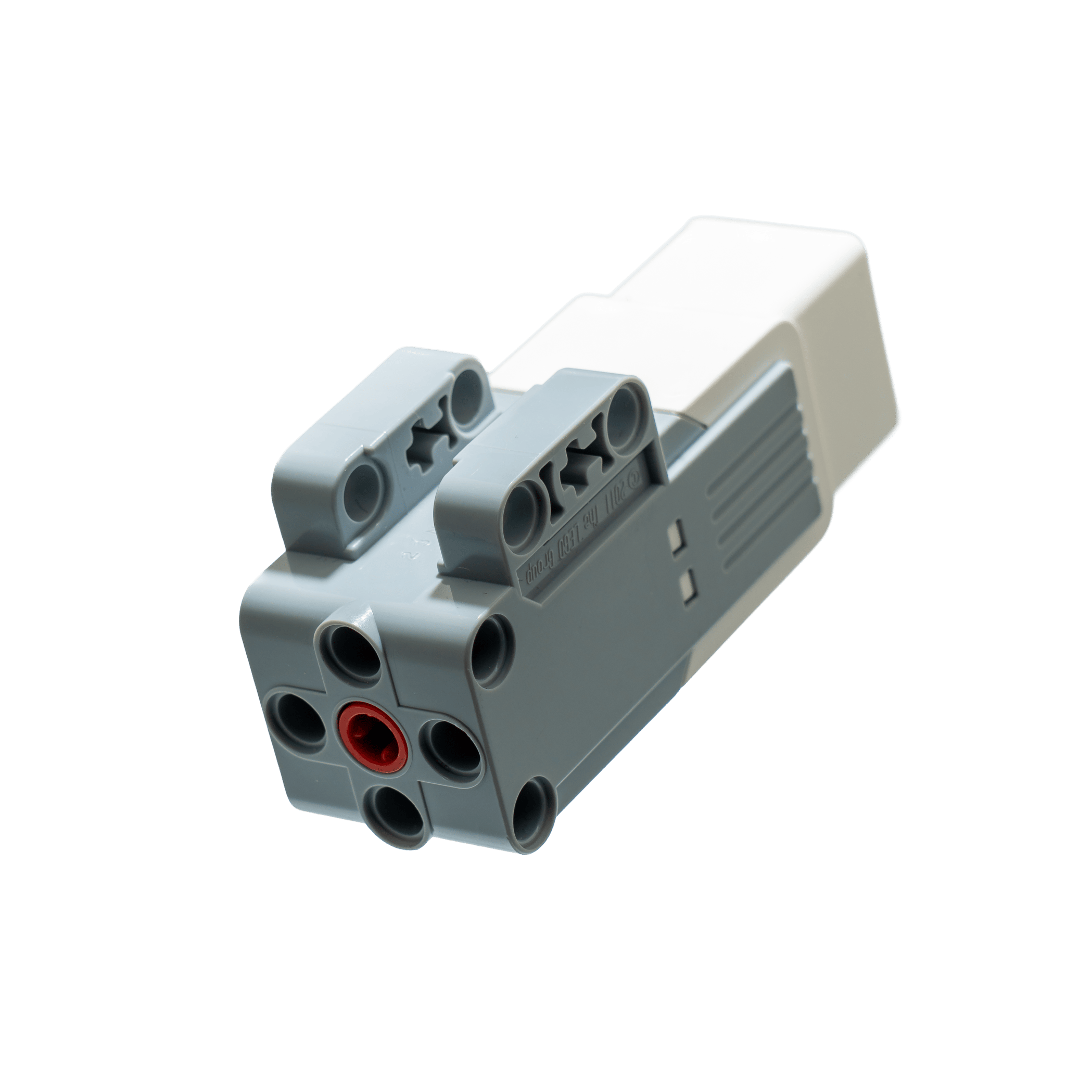
Specifications of a Medium Motor
| accuracy | 1° |
| max. rotation rate | 240 - 250 r/min |
| average torque | 0,08 Nm |
| starting torque | 0,12 Nm |
¶ Notes to Battery Level
Speed and precision of the motors may depend on the robots battery charge!
¶ duty_cycle vs speed
Using duty_cycle_sp, you are able to control the power of the motor directly with values in percent (-100 to +100). As the motor speed can change depending on your battery level, it is currently not recommended to use duty cycle.
The speed_sp mode allows you to set the motor speed in tacho counts per second. It uses an internal controller to keep the speed at a certain level independent of charge and forces working against the motor.
¶ read battery voltage/current
If you still insist to use duty cycle, it may be useful to implement a corrective factor that models the dependence as a function of the current charge level.
Therefore, take a look at the following example on how to read the voltages and currents of the brick.
# Python
with open('/sys/class/power_supply/lego-ev3-battery/voltage_now') as voltage_file:
    voltage = int(voltage_file.read())
    print("Current voltage: {}µV".format(voltage))

> Current voltage: 8267133µV

with open('/sys/class/power_supply/lego-ev3-battery/current_now') as current_file:
    current = int(current_file.read())
    print("Current current: {}µA [pun intended]".format(current))

> Current current: 149333µA [pun intended]
¶ Examples
Please note that all motor commands are executed asynchronously, so when testing you have to wait some time between command and stop.
¶ using speed_sp
# Python
import ev3dev.ev3 as ev3
import time

m = ev3.LargeMotor("outA")
m.reset()
m.stop_action = "brake"
m.speed_sp = 100
m.command = "run-forever"
time.sleep(3)

m.speed_sp = 200
m.command = "run-forever"
time.sleep(3)
m.stop()
// Rust
extern crate ev3dev_lang_rust;

use ev3dev_lang_rust::Ev3Result;
use ev3dev_lang_rust::motors::{LargeMotor, MotorPort};

use std::{thread, time::Duration};

fn main() -> Ev3Result<()> {
    let m = LargeMotor::get(MotorPort::OutA)?;
    m.set_stop_action(LargeMotor::STOP_ACTION_BRAKE)?;
    m.set_speed_sp(200)?;
    m.run_forever()?;
    thread::sleep(Duration::from_secs(3));  // motor commands are executed async
    m.stop()?;

    Ok(())
}
¶ using duty_cycle_sp
# Python
import ev3dev.ev3 as ev3
import time

m = ev3.LargeMotor("outA")
m.reset()
m.stop_action = "brake"
m.duty_cycle_sp = 40
m.command = "run-direct"
time.sleep(3)

m.duty_cycle_sp = 60
m.command = "run-direct"
time.sleep(3)
m.stop()
// Rust
extern crate ev3dev_lang_rust;

use ev3dev_lang_rust::Ev3Result;
use ev3dev_lang_rust::motors::{LargeMotor, MotorPort};

fn main() -> Ev3Result<()> {
    let m = LargeMotor::get(MotorPort::OutA)?;
    m.set_stop_action(LargeMotor::STOP_ACTION_BRAKE)?;
    m.set_duty_cycle_sp(100)?;
    m.run_direct()?;
    thread::sleep(Duration::from_secs(3));
    m.stop()?;

    Ok(())
}
¶ using run-to-rel-pos
# Python
import ev3dev.ev3 as ev3
import time

m = ev3.LargeMotor("outA")
m.reset()
m.stop_action = "brake"
m.position_sp = 200
m.speed_sp = 100
m.command = "run-to-rel-pos"
print(m.state.__repr__())

time.sleep(8)

print(m.state.__repr__())